Personnel cost planning
for organizations using SAP SuccessFactors

In many organizations, annual personnel cost planning still relies on spreadsheets. HR controlling teams manually compile salaries, hires, departures, and organizational changes, while each unit returns its own file. When executives ask why a department's costs have increased, someone has to trace the spreadsheet formulas. ABS Team SmartCost HR replaces these spreadsheets with a system that shows the source and calculation behind every planned value.


SmartCost HR features for planning with SAP SuccessFactors:

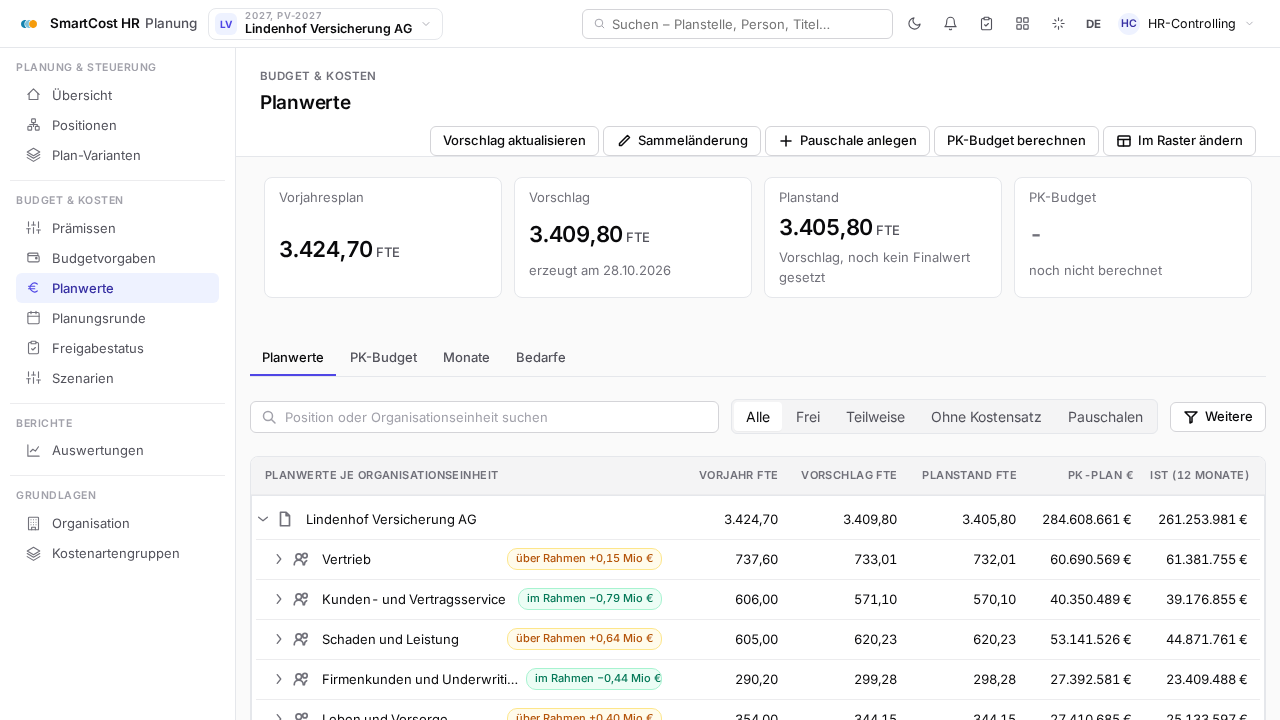
  • Multiyear FTE and personnel cost planning: Plan headcount, FTEs, and personnel costs by month for one detailed planning year and four additional high-level planning years, including personnel actions and staffing allocations. Each value is displayed alongside the prior-year value, the proposed value, and the current plan value.
  • Assumptions and cost rules from industry templates: Collective bargaining agreements, assumptions such as negotiated pay increases, and cost rules, including employer-paid taxes and contributions, come from an industry template of your choice. Your HR controlling team can adjust assumptions and cost rates without writing formulas.
  • A data foundation from SAP SuccessFactors and payroll: Organizational, position, and salary data from SAP SuccessFactors, together with actual payroll costs, form the basis of your plan. SmartCost HR maps wage types to cost types and checks the data for issues, such as a position with no cost center. SmartCost HR releases the validated data as a dated baseline used to calculate each plan version. A guided process helps you transfer existing data from SAP Personnel Cost Planning (HCM-PCP).
  • Scenarios, plan versions, and forecasting: Compare scenarios and plan versions side by side, such as a collective bargaining settlement against the baseline. Each plan version uses its own frozen data baseline. The forecast combines posted actuals for closed months with the remaining plan for open months and identifies actual and planned values. Variance analysis breaks down each variance into volume, price, negotiated pay, and structural effects.
  • Budget targets, reporting, and final approval: Import budget targets for each organizational unit from Excel and compare them with your personnel cost plan. Export standard reports to Excel and use the report library to build your own analyses and dashboards. Final approval records who approved the plan.
  • Decentralized planning and approval: Business units contribute to the plan. Planning rounds have deadlines and lock submissions once the deadline has passed. Each business unit plans its own area and submits it with an explanation. Multilevel approval follows the four-eyes principle and applies to a fixed plan version. Worklists and approval statuses show where approval is pending, while delegation rules determine who approves during an absence. You can define your own approval workflow templates.
  • Multiple planning contexts and the Integration module: Plan and consolidate multiple planning contexts, such as legal entities. With the Integration module, SmartCost HR transfers the approved plan to SAP S/4HANA and connects SAP Analytics Cloud and other systems. Your key users configure the connections themselves, and custom rule packages take effect only after review, a test run, and approval.
  • The Position Management module: Add the Position Management module to maintain your own position plan rather than planning only with positions from SAP SuccessFactors. The module manages authorized positions, staffing assignments, vacancies, and backfills, supports job sharing and multiple incumbents, and transfers approved positions back to SAP SuccessFactors.

SmartCost HR extends SAP SuccessFactors:

SAP SuccessFactors maintains employee and organizational data,
payroll provides actual costs,
and SmartCost HR manages your personnel cost plan.

See SmartCost HR in action

Planned FTEs and personnel costs by organizational unit, with prior-year, proposed, and current plan values
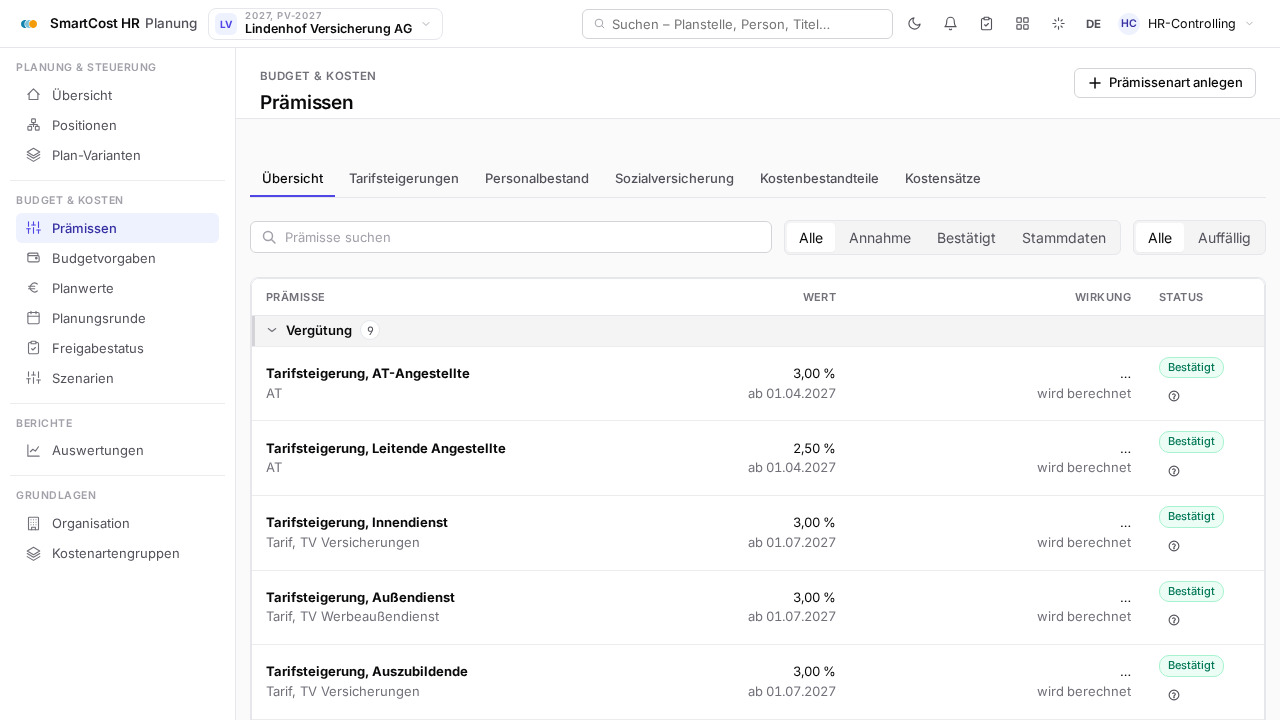
Planning assumptions, such as negotiated pay increases, with values, validity periods, and statuses
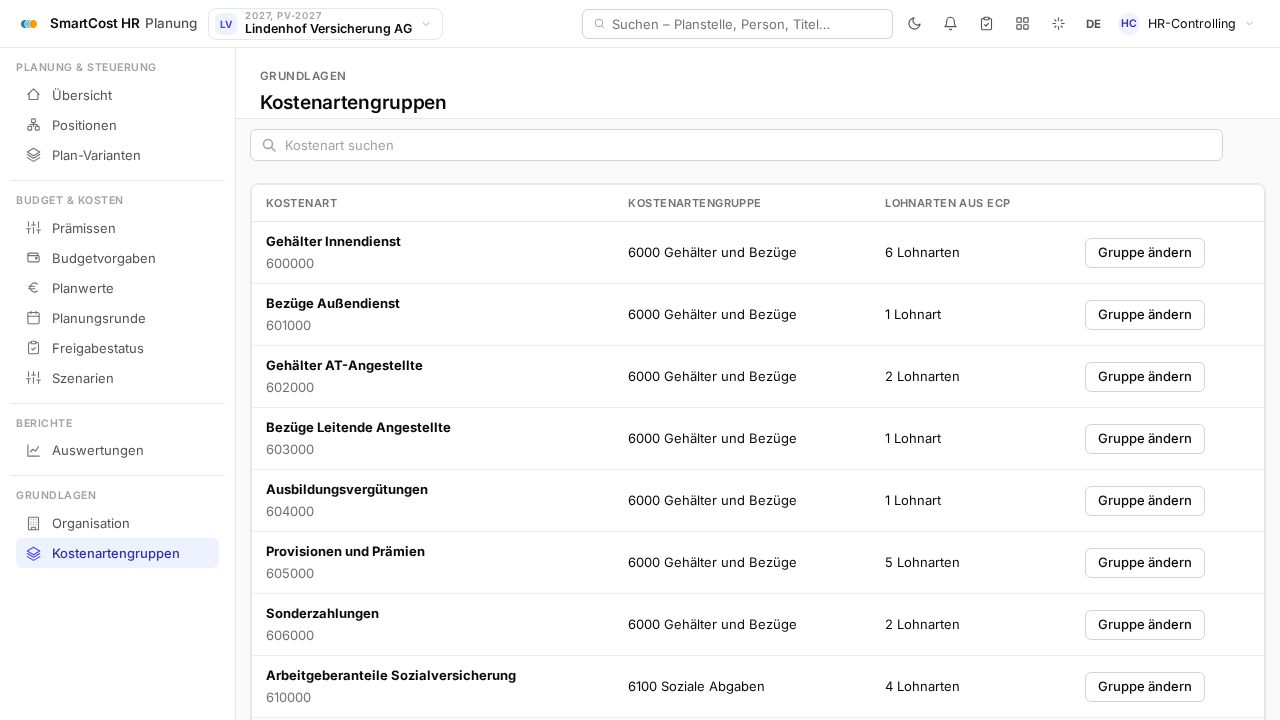
Cost types with their cost type groups and the number of assigned payroll wage types
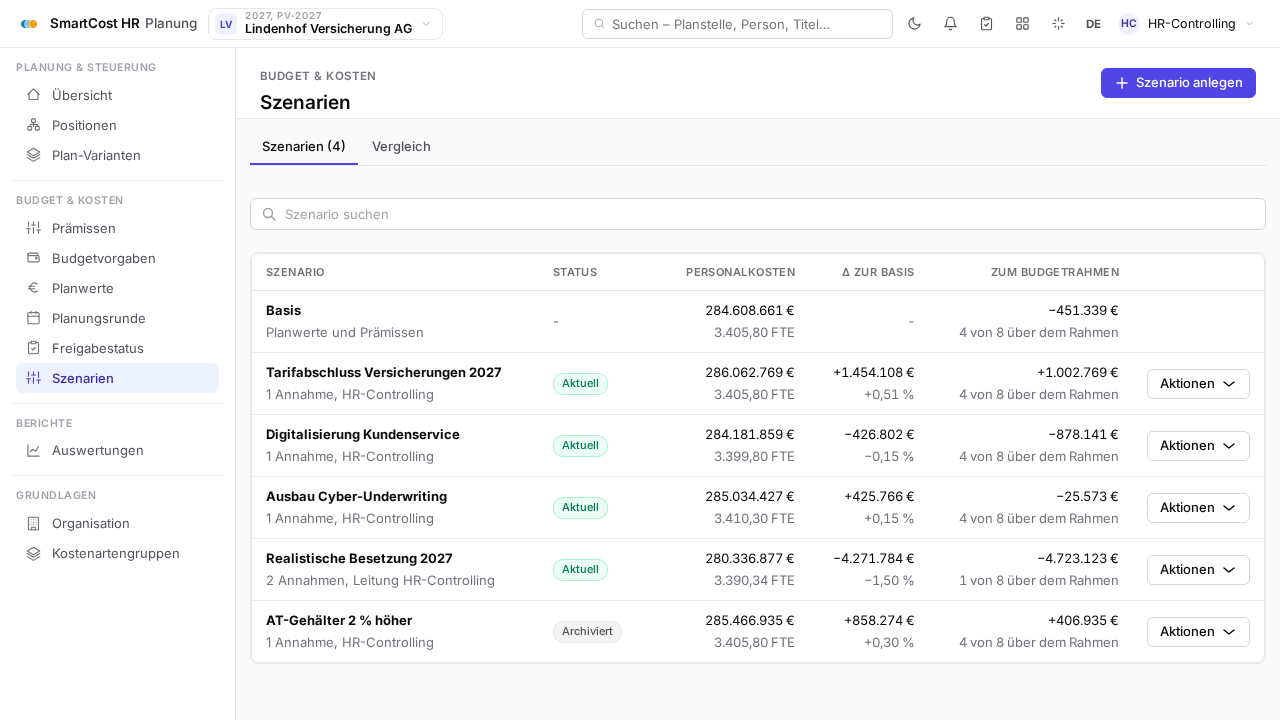
Scenarios compared with the baseline for personnel costs, FTEs, and budget limits
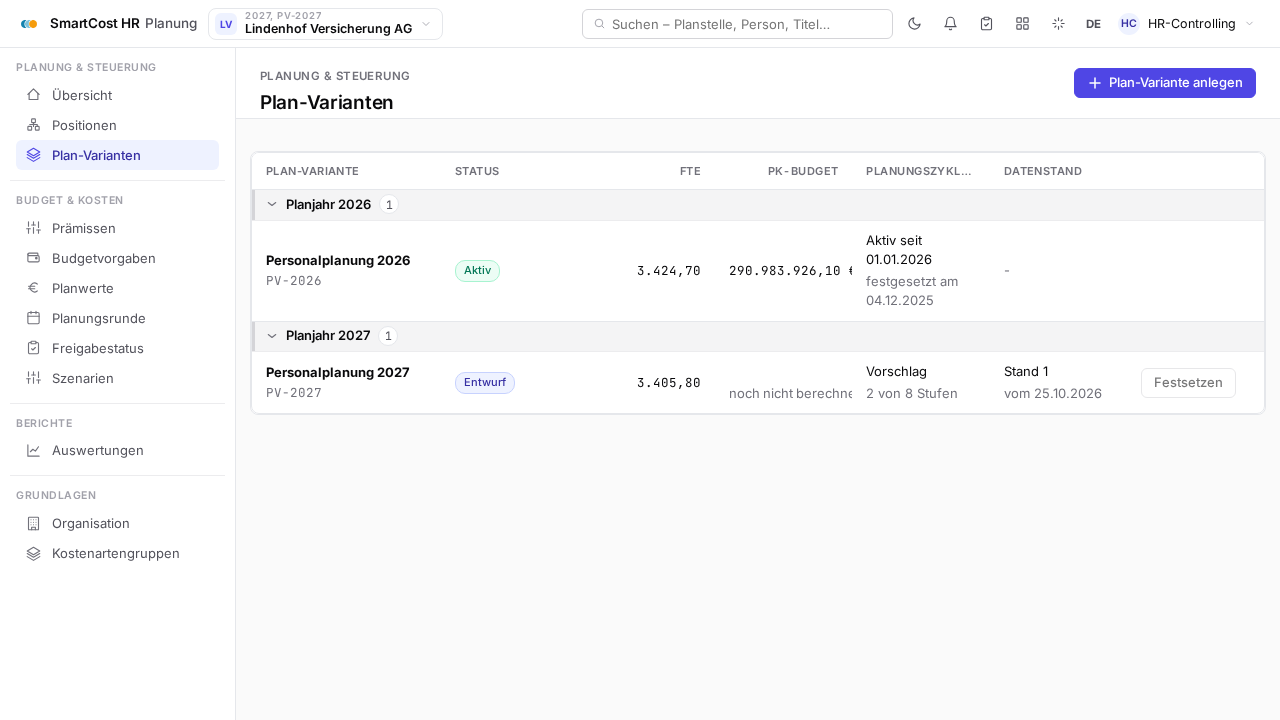
Plan versions by planning year, with status, FTEs, personnel cost budget, and planning cycle stage
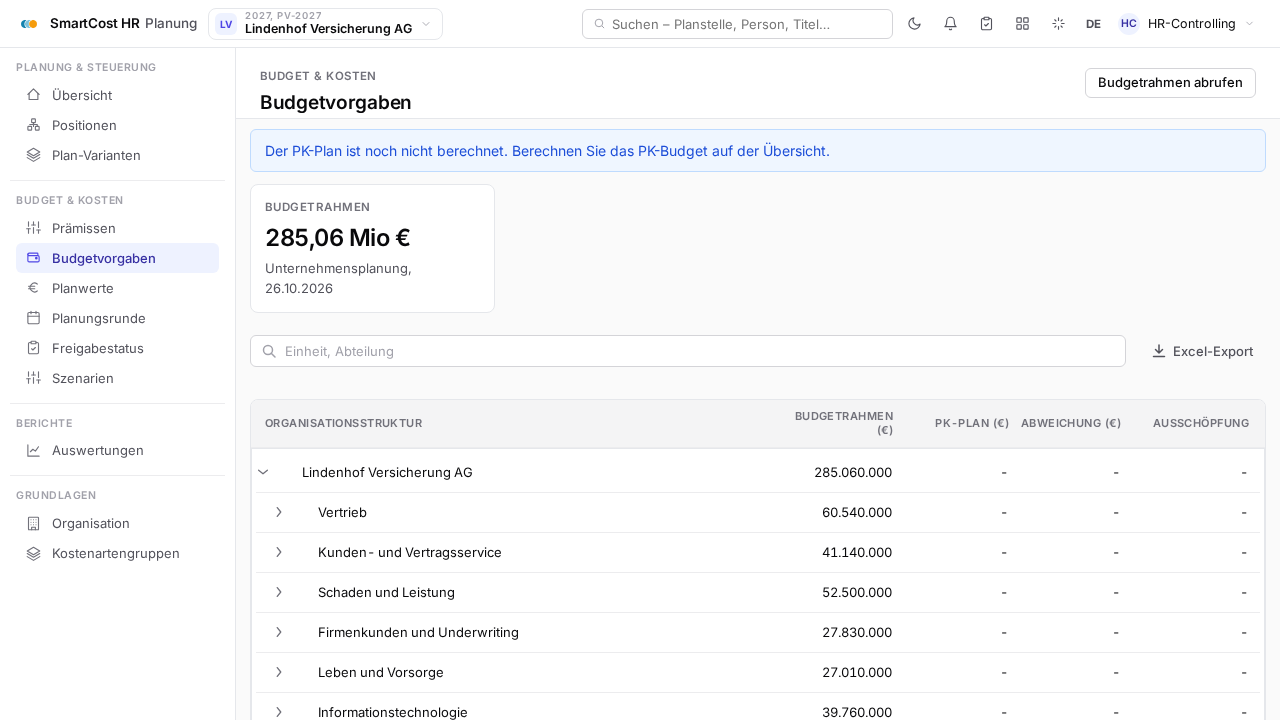
Budget targets by organizational unit compared with the personnel cost plan
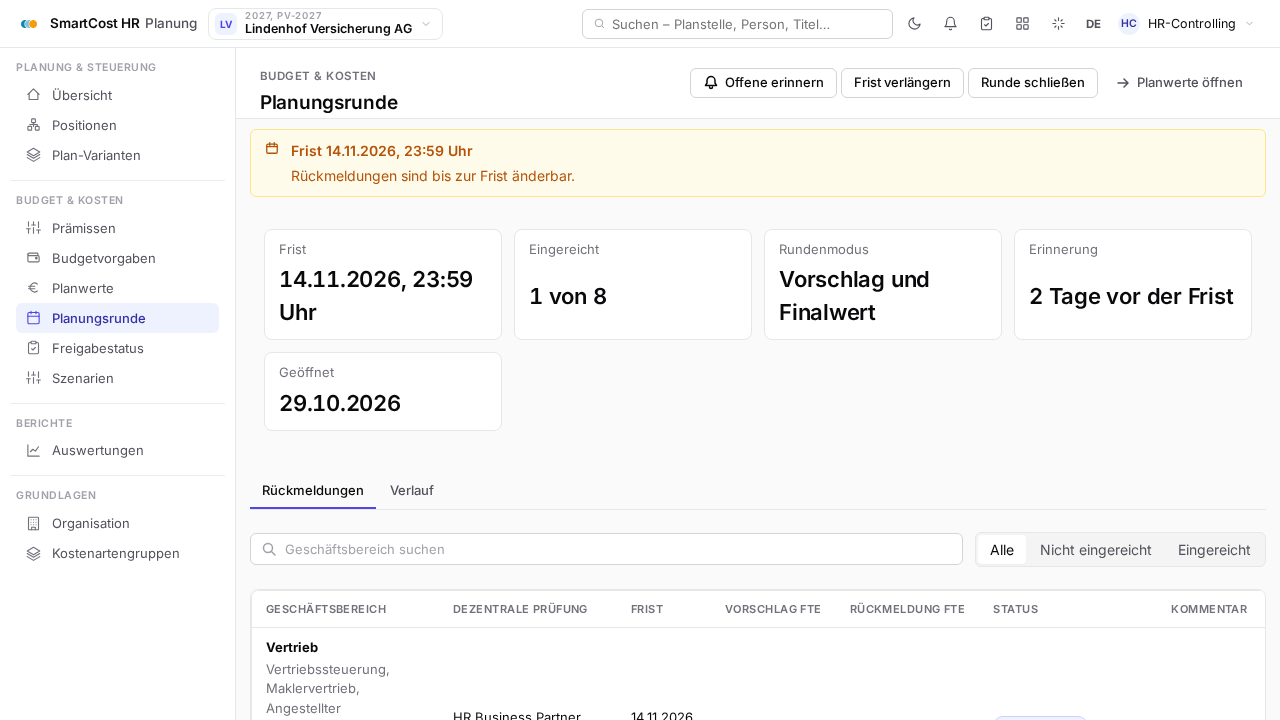
Planning round with deadline, number of submissions, and feedback by business unit
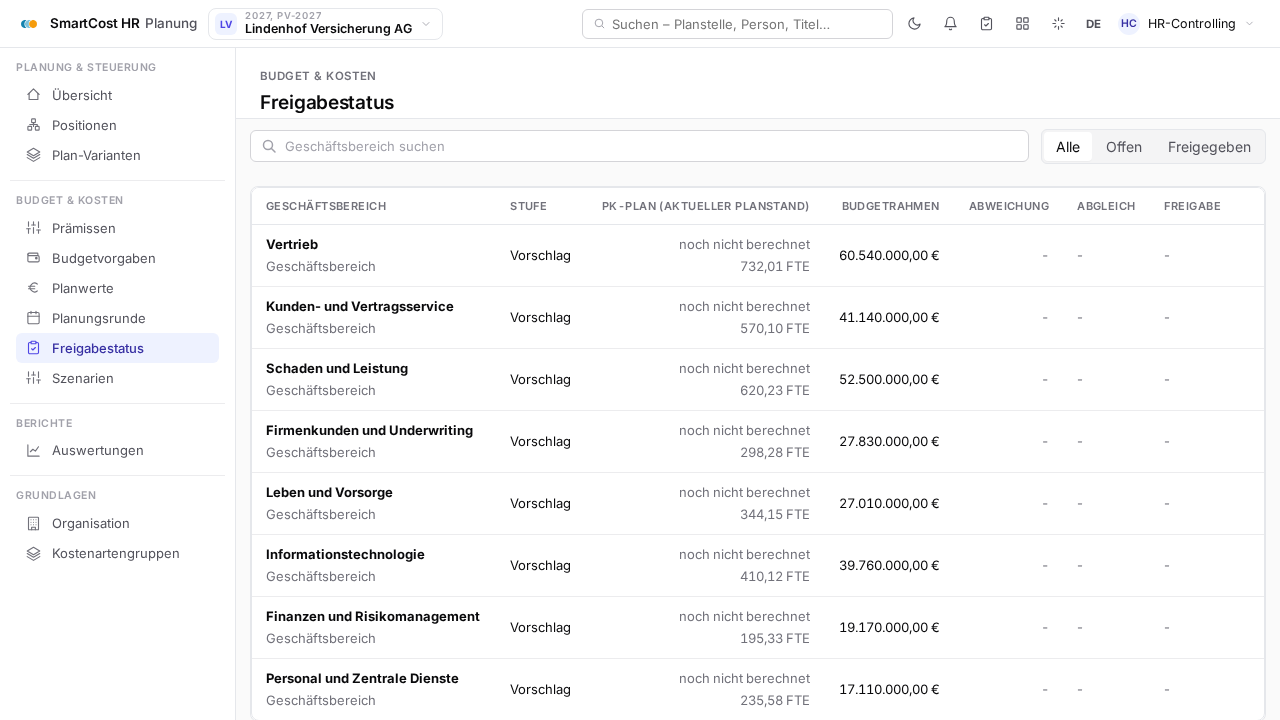
Approval status by business unit, with plan, budget limit, and variance
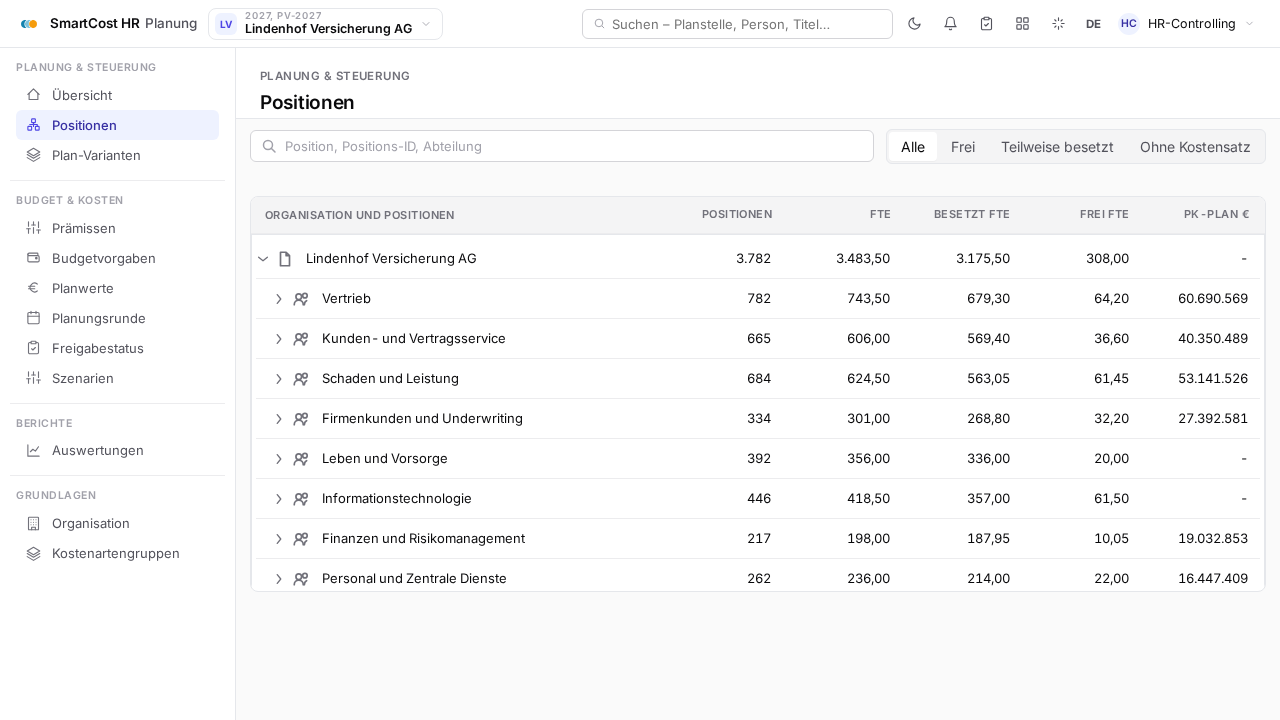
Positions by organizational unit, with total FTEs, filled and vacant FTEs, and planned personnel costs

Subscription plan and modules

SmartCost HR is available through a single subscription plan: Foundation.

  • Foundation includes full personnel cost and FTE planning for central HR controlling, as well as decentralized planning and approval: planning rounds with deadlines, multilevel approval following the four-eyes principle, and custom approval workflow templates. Multiple planning contexts and consolidation are also included.
  • Foundation includes a test instance, a production instance, and an industry template of your choice. The number of users is unlimited.

Extend Foundation with the modules you need:
  • Position Management: A dedicated position plan with authorized positions, staffing assignments, and transfer of approved positions back to SAP SuccessFactors.
  • Integration: Transfer of the approved plan to SAP S/4HANA, connections to SAP Analytics Cloud and other systems, and custom rule packages.
  • Forecast Intelligence: AI assistance for questions, scenarios, and forecasting.
  • Insights: New analyses created from natural-language descriptions.

Overview, configuration, and security

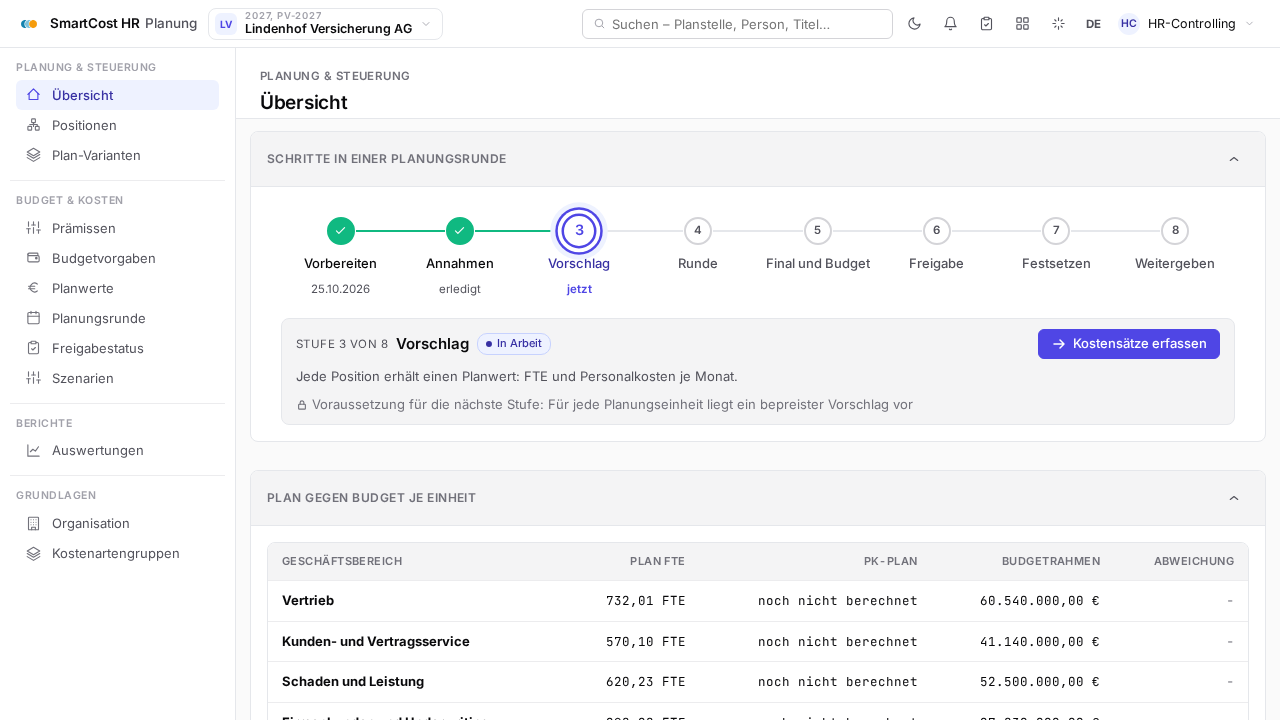
SmartCost HR planning overview


Planning stages and plan-to-budget comparisons by business unit

The overview replaces spreadsheets and parallel tracking lists. It shows the current planning stage, what is missing before the next stage, and which business units exceed their budget limits. Every planned value shows its source and calculation, and SmartCost HR clearly labels estimates. If a position cannot be costed, SmartCost HR flags it as an issue rather than assigning zero cost. Configure terminology, views, permissions, and custom approval workflow templates without custom development. Custom rule packages are available with the Integration module. Standard updates preserve your settings.

Users sign in through SAP Cloud Identity Services. Role-based access, the four-eyes principle, and tenant isolation apply, and SmartCost HR records changes in an audit log.

Ask questions about your plan in natural language

Add the Forecast Intelligence module to Foundation, and ABS Team will enable it for your tenant. SmartCost HR does not include AI functionality unless you subscribe to the AI modules.

With this module, you can ask questions in natural language, such as how a five percent negotiated pay increase would affect personnel costs in sales. All figures in the response come exclusively from the plan calculation. The module can create a scenario from a question, but SmartCost HR applies it only after a person confirms it. The module also explains forecasts and variances and incorporates external developments as hypotheses for planning assumptions.

The separately available Insights module creates new analyses from natural-language descriptions. The AI modules share a fair-use allowance per tenant. They do not provide information about individual people.


Contact us to discuss how SmartCost HR can replace your personnel cost planning spreadsheets and fit your planning process.

Follow us!